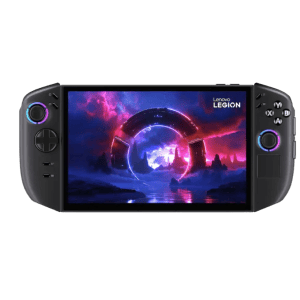
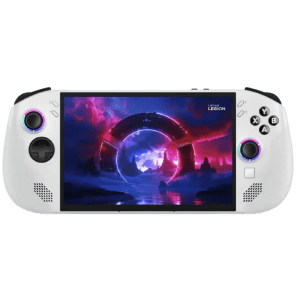
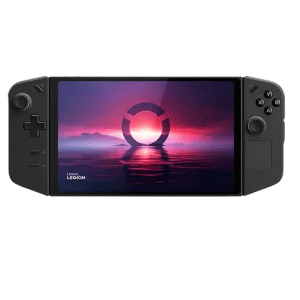
Sell Lenovo Legion Go Game Console

Which Lenovo Legion Go model are you selling?

FAQs

How do I find out which Lenovo Legion Go model I have?

To determine which Lenovo Legion Go model you own, follow these steps:

  1. Check the label on the back or bottom of your device for the model number.
  2. Go to Settings > System > About on your Legion Go to view the model and specifications.
  3. Refer to the original box or receipt for model details.

Still unsure? You can find more details on Lenovo’s official support page.

How is the trade-in value for my Lenovo Legion Go determined?

Your Lenovo Legion Go’s trade-in value depends on several key factors, including:

  • Model and Age: Newer models typically have higher value.
  • Condition: Devices in excellent condition receive the best offers.
  • Specifications: Higher RAM and storage options may increase value.
  • Market Demand: Current demand for your device affects pricing.

Get an instant quote on BuyBackTronics.com by answering a few quick questions about your Legion Go.

What should I do before shipping my Lenovo Legion Go?

To ensure a smooth trade-in process, follow these steps before shipping:

  1. Back up your data to a cloud service or external drive.
  2. Factory reset your device to erase personal information.
  3. Remove any accessories (unless required for trade-in).
  4. Use secure packaging to prevent damage during transit.

We provide a free prepaid shipping label, making the process hassle-free.

Why should I sell my Lenovo Legion Go to BuyBackTronics?

Choosing BuyBackTronics means choosing a fast, easy, and rewarding trade-in experience! Here's why:

  • Quick and seamless process – From instant quote to fast payment, we make it easy.
  • Top value for your device – Competitive offers based on real market value.
  • Free prepaid shipping – No hidden costs or surprise fees.
  • Trusted by hundreds of thousands – Our customers love us for our honesty and excellent service.
  • Transparency and updates – We keep you informed every step of the way.

Don’t just take our word for it! Check out what our customers have to say:

How does the Lenovo Legion Go trade-in process work?

Trading in your Lenovo Legion Go is simple and hassle-free:

  1. Get an offer – Answer a few questions about your device to receive an instant quote.
  2. Ship your device – Use our free prepaid shipping label to send in your Legion Go.
  3. Get paid fast – Once we receive and inspect your device, you’ll get paid quickly via your chosen payment method.

Start your trade-in today and turn your Lenovo Legion Go into cash effortlessly!

Why Us?

QUICK PAYMENTS Get paid within one business day via PayPal, eCheck or have a check mailed to you. Your choice.

HIGHER OFFERS We strive to have the highest offers on the market so our customer's products have value.

FREE SHIPPING We cover all shipping costs associated with trade-ins to further our streamlined service.

BETTER SERVICE Between our trade-in process and our customer service, we always put the customer first.