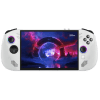
Sell Your
Lenovo Legion Go S

{{ key+1 }}. {{ history.question }}
{{ history.answer }} Edit
{{ answerHistory.length+1 }}. {{ activeQuestion.text }}
Please select one of the following options
{{ activeQuestion.tooltip_title.length ? activeQuestion.tooltip_title : 'Help me choose!' }}
Back

DEVICE VALUE

14 day price-lock guarantee

{{ productName }}
{{ productName }}
· {{ crumb.name }}
Edit

{{ productName }}
· {{ crumb.name }}
Edit
{{ productName }}
${{ price }}
Go Back
Go Back
{{ saveErrorMessage }}
Get the full quote if your device matches its description, or have it returned.
  • Super Fast Processing and Payments
  • Free Shipping Label
  • 14 Day Offer Guarantee
Sorry, we cannot offer anything for your device at this time.
Back
{{ errorMessage }}

FAQs

How do I confirm my Legion Go S Specs (Processor, RAM, and OS)?

Check your specs using the method that matches your current Operating System:

  • On Windows: Go to Settings > System > About. This confirms your Processor (Z1 or Z2) and RAM (16GB or 24GB).
  • On SteamOS (Bazzite/Nobara): Press the Steam Button, go to Settings > System. Scroll down to see your hardware specs listed under "Hardware."
  • Storage: Check File Explorer (Windows) or the Storage menu (SteamOS) to confirm your capacity (typically 512GB).
  • Confirm Model: Match the "P/N" code (e.g., 83N6...) on the bottom edge of the device or behind the kickstand to this page.
How should I prepare my Lenovo Legion Go S for shipping?

Before you pack your device, please follow these steps to protect your data and ensure a fast payout:

  • Perform a Factory Reset: Go to Settings > Recovery > Reset this PC. Select "Remove everything" to securely wipe your personal Windows account and game data.
  • Power Down Completely: Please fully shut down the device rather than leaving it in Sleep Mode. This protects the battery and prevents the device from waking up during transit.
  • Check the MicroSD Slot: Ensure you have removed any MicroSD cards from the slots before packing.
What is the best way to pack my Legion Go S?

Because the controllers on the "S" model are built-in, protecting the joysticks and screen is the top priority:

  • Cushion the Joysticks: Avoid placing anything heavy directly on the front of the box. We recommend wrapping the unit in several layers of bubble wrap so the thumbsticks are not being compressed.
  • The "Snug Fit": Use enough packing material (bubble wrap or paper) so that the device stays centered in the box and does not move when the box is gently moved.
  • Seal it Up: Use strong packing tape on all seams and attach your prepaid BuyBackTronics label to the top.
Do I need to include the charger?

To receive the full value of your quote, please include the original USB-C power adapter. Including the original box or carrying case also helps us process your trade-in quickly at the best possible value.

Why sell your Legion Go S to BuyBackTronics?

We provide a premium service for every type of gamer:

  • Personal Support: If you have questions about your specific model, call us. We offer the best phone support in the industry and are always happy to help.
  • Expedited Processing: We offer options to speed up your inspection and payment if you’re looking to fund your next upgrade quickly.
  • Professional Care: We truly care about your experience. From free shipping labels to optional custom kits, we make the process transparent and straightforward.

Why Us?

QUICK PAYMENTS Get paid within one business day via PayPal, eCheck or have a check mailed to you. Your choice.

HIGHER OFFERS We strive to have the highest offers on the market so our customer's products have value.
FREE SHIPPING We cover all shipping costs associated with trade-ins to further our streamlined service.

BETTER SERVICE Between our trade-in process and our customer service, we always put the customer first.