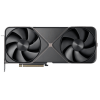
Sell Your
RTX PRO

{{ key+1 }}. {{ history.question }}
{{ history.answer }} Edit
{{ answerHistory.length+1 }}. {{ activeQuestion.text }}
Please select one of the following options
{{ activeQuestion.tooltip_title.length ? activeQuestion.tooltip_title : 'Help me choose!' }}
Back

DEVICE VALUE

14 day price-lock guarantee

{{ productName }}
{{ productName }}
· {{ crumb.name }}
Edit

{{ productName }}
· {{ crumb.name }}
Edit
{{ productName }}
${{ price }}
Go Back
Go Back
{{ saveErrorMessage }}
Get the full quote if your device matches its description, or have it returned.
  • Super Fast Processing and Payments
  • Free Shipping Label
  • 14 Day Offer Guarantee
Sorry, we cannot offer anything for your device at this time.
Back
{{ errorMessage }}

FAQs

How do I confirm which RTX Pro workstation GPU I have?

NVIDIA RTX Pro workstation GPUs are part of the latest professional GPU generation based on the Blackwell architecture.

The exact model name is usually printed on the backplate or PCB of the graphics card.

If the GPU is still installed in a workstation, you can also confirm the model through Windows Device Manager, NVIDIA software, or tools such as GPU-Z, which identifies the installed graphics card and displays detailed hardware information.

RTX Pro GPUs are commonly installed in professional systems such as Dell Precision, HP Z-series, and Lenovo ThinkStation workstations.

Why do you ask whether the GPU is NVIDIA, PNY, or another manufacturer?

RTX Pro workstation GPUs are sometimes distributed directly by NVIDIA and other times through enterprise partners such as PNY or integrated into OEM workstation systems.

The GPU architecture is the same, but branding and distribution can vary depending on how the card was originally supplied.

We ask this during checkout to ensure the correct configuration is selected when generating your quote.

Why do many RTX Pro GPUs come from Dell, HP, or Lenovo systems?

Many RTX Pro GPUs are originally deployed in professional workstations or enterprise compute systems.

Organizations often upgrade hardware on a regular cycle, and these GPUs are commonly removed from systems such as Dell Precision, HP Z-series, or Lenovo ThinkStation workstations.

This is why many RTX Pro GPUs enter the secondary market without retail packaging.

How should I package an RTX Pro workstation GPU for shipping?

RTX Pro GPUs are high-value professional components and should be packaged carefully.

  • Anti-static protection: Place the GPU inside an anti-static bag if available.
  • Protective padding: Wrap the card in multiple layers of bubble wrap.
  • Sturdy box: Use a strong box and fill empty space so the GPU cannot move during transit.

Proper packaging helps ensure the GPU arrives safely for inspection.

Can I sell multiple RTX Pro GPUs at once?

Yes. RTX Pro workstation GPUs are often retired in batches when organizations upgrade professional workstations, render nodes, or compute systems.

If you have 10 or more GPUs, you can request custom pricing through our bulk sell page.

A dedicated procurement agent will be assigned to assist you through the entire process, from creating an account to coordinating shipping and logistics.

Why Us?

QUICK PAYMENTS Get paid within one business day via PayPal, eCheck or have a check mailed to you. Your choice.

HIGHER OFFERS We strive to have the highest offers on the market so our customer's products have value.

FREE SHIPPING We cover all shipping costs associated with trade-ins to further our streamlined service.

BETTER SERVICE Between our trade-in process and our customer service, we always put the customer first.