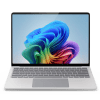
Sell Your
Microsoft Surface Laptop 7

{{ key+1 }}. {{ history.question }}
{{ history.answer }} Edit
{{ answerHistory.length+1 }}. {{ activeQuestion.text }}
Please select one of the following options
{{ activeQuestion.tooltip_title.length ? activeQuestion.tooltip_title : 'Help me choose!' }}
Back

DEVICE VALUE

14 day price-lock guarantee

{{ productName }}
{{ productName }}
· {{ crumb.name }}
Edit

{{ productName }}
· {{ crumb.name }}
Edit
{{ productName }}
${{ price }}
Go Back
Go Back
{{ saveErrorMessage }}
Get the full quote if your device matches its description, or have it returned.
  • Super Fast Processing and Payments
  • Free Shipping Label
  • 14 Day Offer Guarantee
Sorry, we cannot offer anything for your device at this time.
Back
{{ errorMessage }}

FAQs

How do I identify my Microsoft Surface Laptop 7?

There are a few ways to confirm the specifications of your Microsoft Surface Laptop 7 before sending it in.

  • Check System Information: Click the Windows Start menu, search for System Information, and review the System Model and processor details.
  • Use Windows Settings: Go to Settings → System → About to view key specifications such as processor, installed memory, and storage.
  • Check the Bottom of the Laptop: The model information is printed on the underside of the Surface device near the regulatory markings.

The Surface Laptop 7 is available in 13.8-inch and 15-inch sizes, so confirming the screen size helps ensure the quote matches your device.

What factors affect the value of my Surface Laptop 7?

The resale value of your Microsoft Surface Laptop 7 depends on several configuration and condition factors.

  • Processor Type: Surface Laptop 7 devices may use Snapdragon X series processors or Intel processors, which can influence resale demand.
  • Memory & Storage: Microsoft typically sells these systems in fixed configurations, so devices with higher RAM or storage capacities generally receive stronger offers.
  • Model Size: The 13.8-inch and 15-inch versions may carry different resale values.
  • Cosmetic Condition: Devices with no wear typically receive higher payouts.
  • Accessories: Including the original Surface power adapter can help maximize the resale value.
What condition does my Surface Laptop 7 need to be in?

We purchase Microsoft Surface Laptop 7 devices that are fully functional and can be graded according to their condition.

  • Working Devices: The laptop must power on and operate normally.
  • Condition Grading: Devices are graded from Sealed to Fair. During checkout you will select the condition that best reflects the cosmetic and functional state of your device.
  • Cosmetic Condition: Signs of use such as scratches, wear on the chassis, or keyboard shine are reflected in the grading tier selected.
  • Non-Functional Devices: At this time we do not purchase broken or non-working Surface Laptop 7 devices.

Answering the condition questions accurately allows us to generate a clear upfront quote before you ship the device.

How should I prepare my Surface Laptop 7 before shipping?

Before shipping your Surface Laptop 7, we recommend preparing the device to protect your data.

  • Back Up Your Files: Save important files to an external drive or cloud storage.
  • Factory Reset: Use the Windows reset feature to remove personal data and restore the system.
  • Sign Out of Your Microsoft Account: Ensure the device is no longer linked to your account.
  • Include the Charger if Available: Sending the original Surface power adapter can help maximize resale value.
  • Secure Packaging: Protect the laptop with padding and place it in a sturdy box before shipping.
Where is the best place to sell a Microsoft Surface Laptop 7?

If you are looking to sell a Microsoft Surface Laptop 7, common options include online marketplaces, local buyers, and electronics buyback services.

Marketplaces may sometimes produce higher prices but usually require creating listings, negotiating with buyers, and managing potential payment risks.

BuyBackTronics offers a simpler alternative by providing an instant quote based on your Surface Laptop 7’s configuration and condition. Once accepted, you can ship the device using a prepaid shipping label and receive payment after inspection.

This approach is often preferred by sellers who want a predictable and hassle-free way to sell their device.

Why Us?

QUICK PAYMENTS Get paid within one business day via PayPal, eCheck or have a check mailed to you. Your choice.

HIGHER OFFERS We strive to have the highest offers on the market so our customer's products have value.

FREE SHIPPING We cover all shipping costs associated with trade-ins to further our streamlined service.

BETTER SERVICE Between our trade-in process and our customer service, we always put the customer first.