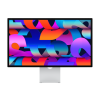
Sell Your
Studio Display

{{ key+1 }}. {{ history.question }}
{{ history.answer }} Edit
{{ answerHistory.length+1 }}. {{ activeQuestion.text }}
Please select one of the following options
{{ activeQuestion.tooltip_title.length ? activeQuestion.tooltip_title : 'Help me choose!' }}
Back

DEVICE VALUE

14 day price-lock guarantee

{{ productName }}
{{ productName }}
· {{ crumb.name }}
Edit

{{ productName }}
· {{ crumb.name }}
Edit
{{ productName }}
${{ price }}
Go Back
Go Back
{{ saveErrorMessage }}
Get the full quote if your device matches its description, or have it returned.
  • Super Fast Processing and Payments
  • Free Shipping Label
  • 14 Day Offer Guarantee
Sorry, we cannot offer anything for your device at this time.
Back
{{ errorMessage }}

FAQs

How do I identify my Apple Studio Display model?

You can confirm your Apple Studio Display version using these methods:

  • On Your Mac: With the display connected, go to the Apple menu  > About This Mac > System Report > Graphics/Displays.
  • By Serial Number: Look on the bottom of the stand or VESA mount. Enter this number on Apple's Coverage Checker to verify your exact configuration.
  • Model Generations: The 2022 model uses standard Thunderbolt, while the 2026 version features updated internals and Thunderbolt 5. Both generations were sold with either standard or nano-texture glass, and various stand/mount options.
What affects the resale value of my Apple Studio Display?

Your Apple Studio Display's resale value depends on a few key factors:

  • Condition: Flawless screens without scratches, pressure marks, or dead pixels receive the highest offers.
  • Glass Type: Nano-texture glass models command a premium over standard glass.
  • Stand Configuration: Displays including their original tilt/height-adjustable stand or VESA mount retain more value.
  • Generation: Newer iterations of the Studio Display generally hold stronger market demand.
How should I prepare and pack my Apple Studio Display for shipping?

To ensure your Apple Studio Display maintains its value and arrives in top condition for inspection, please follow these simple steps:

  • The Integrated Power Cable: The power cord is built into the back of the monitor. Simply coil it neatly and wrap the plug-end in bubble wrap to keep it tucked securely behind the stand.
  • The Thunderbolt Cable: Unplug the removable Thunderbolt cable and place it in a separate bag or wrap it on its own.
  • Screen Care: Wipe the glass with a microfiber cloth. Place a soft foam sheet or a clean, non-abrasive cloth over the screen surface before wrapping.

Shipping Without the Original Box?

If you don’t have the original Apple packaging, follow this "Box-within-a-Box" style protection:

  • Wrap: Enclose the entire unit (including the stand) in 3–4 layers of large-cell bubble wrap. Tape the bubble wrap to itself, not to the monitor.
  • The Right Box: Use a heavy-duty, double-walled corrugated box. There should be at least 3 inches of space between the wrapped monitor and all sides of the box.
  • Foundation: Fill the bottom 3 inches of the box with packing peanuts or crumpled heavy kraft paper.
  • Center & Fill: Place the monitor in the center and tightly pack all remaining voids. The goal is a "snug fit" so the display cannot move or tilt.
  • The Shake Test: Once packed, give the box a very gentle move. If you feel the monitor shifting, add more packing material.
  • Seal: Use strong 2-inch wide packing tape to seal all seams of the box in an "H" pattern.

Once ready, simply attach your free BuyBackTronics prepaid label and drop it off at your nearest carrier location.

Can I trade in my Apple Studio Display with Apple?

Apple’s Trade In program primarily focuses on iPhones, iPads, and MacBooks. High-end displays and accessories are often ineligible or yield significantly lower trade-in credit.

Instead of settling for restrictive store credit, BuyBackTronics offers a direct cash offer for your Apple Studio Display. You get a prepaid shipping label and fast payment straight to your account after inspection.

Why sell your Apple Studio Display to BuyBackTronics?

We provide the fastest, most reliable way to sell your Apple Studio Display online.

  • Instant Quotes: See exactly what your display is worth in seconds.
  • Free Shipping: Every order includes a fully prepaid shipping label.
  • Fast Payouts: Get paid quickly once your display is inspected.
  • Zero Hassle: Skip the local meetups, marketplace fees, and buyer negotiations.
  • Trusted Platform: Join hundreds of thousands of customers nationwide who trust BuyBackTronics.

Why Us?

QUICK PAYMENTS Get paid within one business day via PayPal, eCheck or have a check mailed to you. Your choice.

HIGHER OFFERS We strive to have the highest offers on the market so our customer's products have value.

FREE SHIPPING We cover all shipping costs associated with trade-ins to further our streamlined service.

BETTER SERVICE Between our trade-in process and our customer service, we always put the customer first.