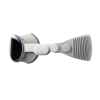
Sell Your
Vision Pro

{{ key+1 }}. {{ history.question }}
{{ history.answer }} Edit
{{ answerHistory.length+1 }}. {{ activeQuestion.text }}
Please select one of the following options
{{ activeQuestion.tooltip_title.length ? activeQuestion.tooltip_title : 'Help me choose!' }}
Back

DEVICE VALUE

14 day price-lock guarantee

{{ productName }}
{{ productName }}
· {{ crumb.name }}
Edit

{{ productName }}
· {{ crumb.name }}
Edit
{{ productName }}
${{ price }}
Go Back
Go Back
{{ saveErrorMessage }}
Get the full quote if your device matches its description, or have it returned.
  • Super Fast Processing and Payments
  • Free Shipping Label
  • 14 Day Offer Guarantee
Sorry, we cannot offer anything for your device at this time.
Back
{{ errorMessage }}

FAQs

How to Identify My Apple Vision Pro?
  • Confirm Your Model: Go to Settings > General > About. If the model number shows A2117, you have the first-generation Apple Vision Pro.
  • Check in Settings: The About page also lists your model name, part number, and serial number.
  • Find the Serial Number on the Device: Remove the light seal and look on the left side of the aluminum frame. The serial number is printed vertically between the left audio strap and the black fabric surrounding the display.
  • Check Coverage: Enter your serial number on Apple’s Check Coverage page to verify your device specifications and warranty information.
  • Retail Packaging: If you still have the original box, it includes the model number and main specifications.
What Affects the Value of My Apple Vision Pro?
  • Condition: The overall condition of your Apple Vision Pro, including display clarity, responsiveness, and physical wear, significantly affects its resale value.
  • Accessories: Including the original charger, headband, and light seal can increase your device’s value.
  • Market Demand: Value can fluctuate based on how sought-after the Apple Vision Pro is at the time of sale.
How to Prepare My Apple Vision Pro for Shipping?
  • Back Up Data: Use iCloud to back up your Apple Vision Pro before resetting it.
  • Disable Find My: Go to Settings > Your Name > Find My and turn off Find My Apple Vision Pro before selling.
  • Unlink Your Apple ID: Sign out of iCloud and remove the device from your Apple ID to prevent activation lock.
  • Include Accessories: Ensure all accessories, such as the charger and original bands, are included for a better offer.
  • Pack Securely: Use bubble wrap and a sturdy box to prevent damage during shipping.
  • Shipping Label: Attach the prepaid shipping label, seal the package securely, and send it off. If you need extra protection, purchase a shipping kit at checkout.
Why Should I Sell My Apple Vision Pro to BuyBackTronics?

When it comes to selling your Apple Vision Pro, there’s no better choice than BuyBackTronics. Here’s why:

  • Fast & Effortless Process: From getting your instant offer to shipping your device and receiving payment, our process is seamless and stress-free.
  • Top Offers, Based on Market Value: We offer competitive pricing that reflects the condition and demand for your device. You can trust that we provide the best value for your Apple Vision Pro.
  • Free, Prepaid Shipping: No hidden fees or costs—shipping your Apple Vision Pro to us is completely free with the prepaid label we provide.
  • Trusted by Hundreds of Thousands: Join a community of satisfied customers who have chosen us for our reliability and customer-first approach. You can count on us for a fair, honest, and fast experience.
  • Exceptional Customer Service: Our team is dedicated to making the process smooth from start to finish, providing personalized support every step of the way.
  • BBB Accredited: We’re proud to be a BBB-accredited business, which means you can trust us to handle your transaction securely and responsibly.

Choose BuyBackTronics for a fast, easy, and secure way to sell your Apple Vision Pro. We make selling effortless while ensuring you get top value for your device.

See our reviews on TrustPilot and Google Reviews.

How Does the Trade-In Process Work for My Apple Vision Pro?

The trade-in process for your Apple Vision Pro is simple and hassle-free:

  • Step 1: Get an Offer – Answer a few questions about your Apple Vision Pro’s condition and model to receive an instant offer.
  • Step 2: Ship It – Accept the offer and send your Apple Vision Pro using the prepaid shipping label provided.
  • Step 3: Inspection & Payment – We inspect the device, and once verified, send your payment. Want it faster? Opt for Expedited Processing for a quicker review.

It’s that easy! For more details, visit our FAQ page.

Why Us?

QUICK PAYMENTS Get paid within one business day via PayPal, eCheck or have a check mailed to you. Your choice.

HIGHER OFFERS We strive to have the highest offers on the market so our customer's products have value.

FREE SHIPPING We cover all shipping costs associated with trade-ins to further our streamlined service.

BETTER SERVICE Between our trade-in process and our customer service, we always put the customer first.